
- PlayinMatch
- PlayinMatch App Download
Android · iPhone · one account
PlayinMatch App Download — Exch to Account on One Easy Bottom Bar, by Android File or Safari Pin
Two phones, two routes, one PlayinMatch account. Android gets a real app file installed outside the Play Store; iPhone gets the lobby pinned to the home screen from Safari. Both open on the same username, the same wallet and the same Exch, Sports, Home, In-Play, Account bar. Neither costs anything.
Nearly thirty thousand searches a month want the PlayinMatch app, and they arrive with different phones and different worries. Android owners want the file and want to know the install warning is normal. iPhone owners want to know whether there is an app at all. Existing members want to be sure the app will not split their account in two. The answers, in order: here is the file, yes the warning is normal, there is an iPhone route that works, and no, it is one account. The detail follows.
Why install at all when the browser works? Because PlayinMatch changes web address from time to time (betting domains get blocked in India), and a home-screen app carries the working address inside it. That is the practical reason. The cosmetic one is the icon: one tap during an IPL over instead of typing.
A word on the word "install", because "playinmatch install" is its own sizeable search. On Android it means the APK described below. On iPhone there is nothing to install in the operating-system sense; the pin is a shortcut that behaves like an app. Both are what people mean by "installing PlayinMatch", and this page treats them as equals because in day-to-day use they are: the same login screen, the same Exch tab, the same cashier, the same Aviator.
PlayinMatch App for Android vs iPhone — Two Quick Installs, Side by Side
Android · the PlayinMatch APK
- Download the file from the Download button or from the chat desk
- Allow Install unknown apps for the browser when Android stops you
- Tap Install; the PlayinMatch icon appears in under a minute
- Open it, log in with username or phone and password, or use OTP
- Switch the permission back off afterwards
- Update by installing the new file over the old one
iPhone · Safari home-screen install
- Open the current PlayinMatch address in Safari (not Chrome, on iOS only Safari can pin)
- Tap the Share square, scroll, tap Add to Home Screen
- Name it PlayinMatch, tap Add
- Open from the home screen: full-screen lobby, no address bar
- Same login, same balance, same Evolution and Aviator
- No updates ever, because it loads the live site each time
The Android route is the one people mean by "playinmatch app download", and the PlayinMatch APK page goes deep on the file, old versions and mirror sites. The iPhone route gets less attention because nobody searches "playinmatch app for iPhone" much, yet roughly a fifth of the members I have watched sign up are on iOS, and the home-screen pin is what they end up using. It is a real app experience in every way that matters: icon, full screen, remembers the session.
"PlayinMatch app for Android" and "playinmatch com mobile download" are two more phrasings of the same Android request, and the file is the same. There is no separate "com mobile" build; the com mobile part is the web address people were on when they went looking. Whatever phrase brought you here, on Android the answer is the one APK, and on iPhone it is the pin.
Where the two routes part ways is the day a domain gets blocked. The Android build looks up the live PlayinMatch address itself and carries on. The Safari pin is frozen to the address it was made from, so that morning it opens to nothing; you make a new pin from the new address and carry on, half a minute of work. Not a reason to avoid iPhone, just the one thing to expect.
What the PlayinMatch App Shows After Login — the Fast Five-Button Bar
The website puts five tabs across the top. The PlayinMatch app moves them to a bottom bar with shorter names, and the mapping is not obvious the first time, so here it is.
- Exch
- The website's Exchange-InPlay, cut to four letters for the bottom bar. Session lines that shut and reopen between balls live here, next to match odds priced by other PlayinMatch members rather than by a book. IPL and international cricket take most of the screen; T20 leagues, then football and tennis, fill what is left.
- Sports
- Fixed-odds sportsbook set by PlayinMatch itself. Premier League and Champions League 1X2 and goals lines, tennis set winner, horse racing win and place. The website calls this Sportsbook-InPlay.
- Home
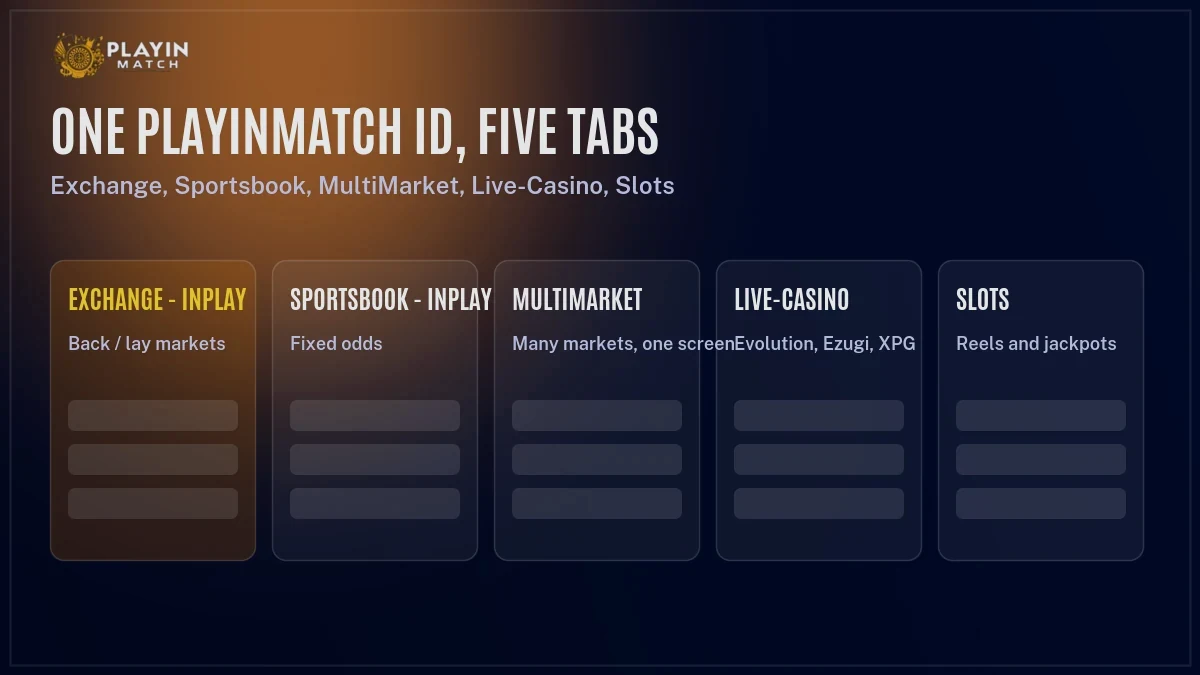
- The lobby: Live Sports tile with running counts per sport, casino tiles by studio (Evolution, Ezugi, Spribe and the rest), promotions. The Live-Casino and Slots tabs from the website are reached from here.
- In-Play
- Everything live right now across every sport, with the count as a badge on the icon. On a Sunday in April the cricket number alone can be in double figures.
- Account
- Cashier (deposit, withdrawal), open and settled bets, profile, KYC upload, and the chat entry to the 24x7 PlayinMatch desk. Same cashier as the website: UPI first, IMPS and NEFT behind it.
A composite evening to make the bar concrete. Someone in Indore opens the PlayinMatch app at 7:25 pm, In-Play badge says 7. Exch, pick the second IPL game, back a side at 1.85 with the slip sliding up, done by 7:27. Home, scroll to the Ezugi group, ten minutes of Andar Bahar during the strategic timeout. Account at 10:40, withdrawal request, bank in the same name, KYC long since done; a chat reply arrives at 11:20 and the money before midnight. Five buttons, one wallet, no address typed at any point. That is the case for the PlayinMatch app in one paragraph.
MultiMarket, the website's fifth tab, is folded into Exch in the app and shows two markets stacked on a phone. That is the only structural difference I have found between the two, and it is a screen-size matter rather than a missing feature. Everything you can bet on through the PlayinMatch website, you can bet on through the app, and the balance is the same number in both places at the same second.
Two small things the PlayinMatch app does that the website cannot. The In-Play badge on the bottom bar shows the live count without opening anything, so a glance tells you cricket has gone from four events to nine as the evening games start. And the Account button carries a dot when the desk has replied to a chat, which matters on the day a withdrawal is being checked. Neither is dramatic. Both are the sort of thing that make members keep the PlayinMatch app after the first week.
PlayinMatch Verified Home-Screen Install, Screen by Screen, Both Phones
Android, from tap to icon
Tap Download App on the phone card above or ask the desk on chat. Chrome warns the file might be harmful; that warning fires for every APK not from Google Play, PlayinMatch included, and is not a verdict on the file. Tap Download anyway. Open the file from the notification. Android blocks it and offers Settings; switch on Allow from this source for Chrome (or for Telegram or WhatsApp if the desk sent it there). Go back, tap Install. Play Protect may scan for a few seconds. The PlayinMatch icon with the roulette-wheel emblem lands in the drawer. Drag it to the home screen if Android did not already do so.
Then log in. Username or phone, password, Login. If you registered with Google or Facebook, those buttons are there too, and the OTP option lets you skip the password with a one-time SMS code. New members tap Join, type a mobile number, enter the 6-digit code and set a password, exactly as on the web. Finally, go back into Settings and switch Allow from this source off again. PlayinMatch is installed and does not need the door open.
iPhone, from Safari to icon
Type the current PlayinMatch address into Safari. Chrome or Brave on iPhone will not offer the pin, so it has to be Safari. Once the lobby loads and you can see the Live Sports counts, tap the Share icon at the bottom (the square with an arrow). Scroll the sheet untill Add to Home Screen appears, tap it, shorten the name to PlayinMatch if you like, tap Add. The icon appears on the last home-screen page.
Open it from there rather than from Safari. It launches full screen without the address bar, remembers the session for as long as the site keeps it, and the Evolution and Ezugi streams play inside it. Aviator too. Deposits and withdrawals go through the same PlayinMatch cashier. The only thing iOS does not give you is the In-Play badge count on the icon; you see the number once the lobby opens.
Time for either route: two to four minutes, most of it reading dialogs. Actually, on iPhone it is closer to one minute if you already know where Add to Home Screen hides in the share sheet. The PlayinMatch login page covers what to do when the password is forgotten, on either phone.
When it does not go smoothly. On Android, "Blocked by Play Protect" on a file from the PlayinMatch lobby is rare; tap More details and Install anyway, and if it keeps refusing, download the file again because a half-finished download is the usual cause. "App not installed" means the same thing. On iPhone, Add to Home Screen missing from the share sheet almost always means Safari is in a Private tab, which hides the option; open a normal tab and try again. And on either phone, if the lobby loads but the Live Sports counts do not appear, the connection is the problem, not PlayinMatch — the counts are the first thing to fail on a weak signal.
PlayinMatch Login Download — When the Sign-In Screen Is Why You Want the Official App
A steady stream of searches reads "playinmatch login download" or "playinmatch com mobile download". They are usually the same person: someone whose bookmark stopped opening, who assumes the fix is a new app. Sometimes it is. Often the fix is simply the new address. Both are covered here so you do not download a file you did not need.
If the PlayinMatch address you have always used is not loading, first try the current address from the PlayinMatch com mobile page; the login screen there is the same one, with the same username and password. If it loads, you are done and no download was needed. If you would rather never do this again, that is the moment the Android app pays for itself, because it follows the working domain on its own.
If the PlayinMatch app itself is showing a blank screen or a spinner that never ends, the build you have is pointing at a dead address and the fix is the current file installed over the top. The session survives; you do not even log in again. iPhone icons do not have this problem in the same way, but they do need re-pinning when the address moves, as described above.
And if the address loads but the password is refused, that is a login problem, not an app problem: use the OTP option, or the forgot-password flow (phone or username, send OTP, code plus new password, confirm). No download fixes a forgotten password, and the desk cannot read it back to you, only reset it.
Last case: the account phone number has changed. The OTP goes to a number you no longer have, so neither OTP login nor the reset flow completes on its own. This is a PlayinMatch desk job, done on chat with KYC proof, and it is the same procedure whether you are in the app, on the website or on the iPhone pin. Budget a little longer than an hour for it, because a human has to compare documents, and do it on a quiet afternoon rather than fifteen minutes before a match.
Every PlayinMatch Game Is in the App — Live Casino Floor and Exchange Together
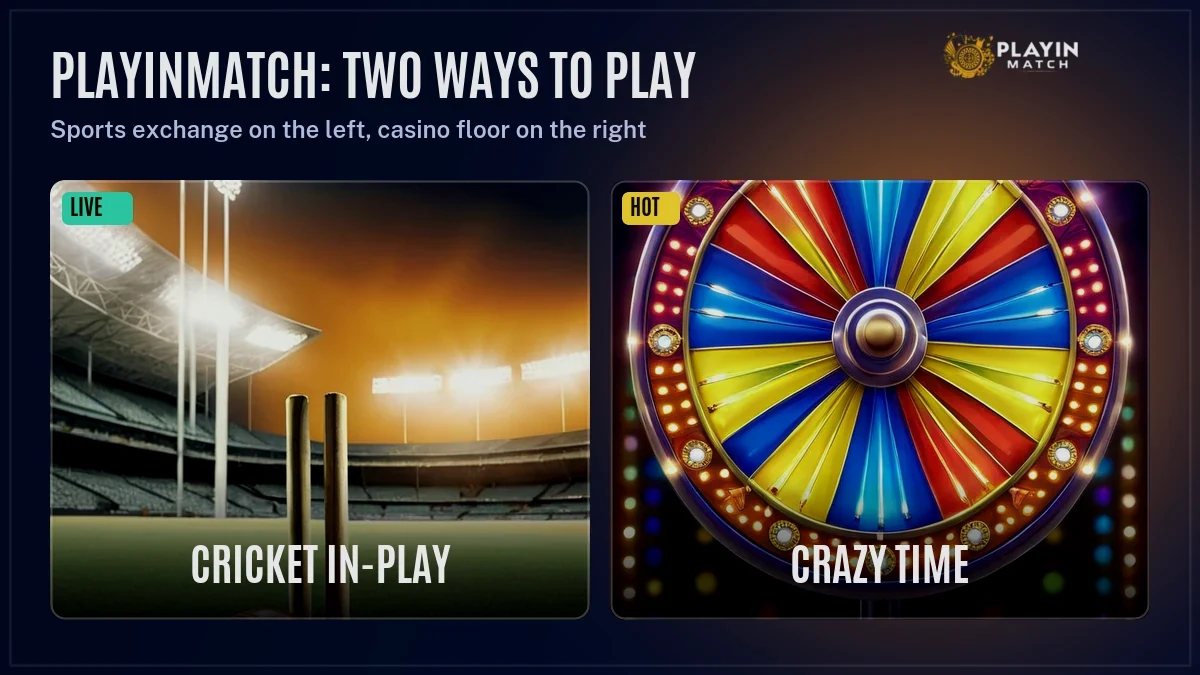
What the PlayinMatch app carries
- Exchange: IPL, internationals, T20 leagues, football, tennis — back and lay
- Sportsbook: Premier League, Champions League, tennis, horse racing — fixed odds
- Live tables: every Evolution show and every Ezugi Indian dealer room the browser lobby has; the phone build trims none of them
- Crash: Aviator (Spribe), Aviatrix, JetX
- Reels and arcade: Playtech, Pigaboom, Turbo Games, EZ Arcade, plus Bingo and Ice Fishing
- Eighteen providers in total, identical to the website
Nothing is trimmed for the app. The one thing to know is where the casino sits: from Home, not from a dedicated tab, because the bottom bar only has five buttons. Tap Home, scroll past the Live Sports tile, and the casino grid begins, grouped by studio. Aviator is under the Spribe group, and the number of PlayinMatch members who go looking for it in the live tables is high enough that it gets its own line here. The Play In Match casino page lists the tables studio by studio; the PlayinMatch game page covers Crazy Time, Monopoly and the arcade results.
Open PlayinMatch for the first time after the download and two tabs are waiting at the bottom, Exch and Sports. Exch is the live cricket list, back and lay columns under a score strip, slip popping up when you tap a price, sessions reopening between deliveries; your stake from the previous bet is still in the box, so bet two costs two taps. Sports is the half most people skip on a first run, and it deserves the look. It opens directly on the fixed-odds list — Premier League at the top of a European evening — and a tap there is taken on the spot, where the same tap on the PlayinMatch exchange can sit unmatched if the price has already moved.
Keeping the PlayinMatch App Current and Secure — What Updates, What Does Not
- Android builds update by hand. PlayinMatch is outside Google Play, so there is no automatic update and no in-app prompt. When a new build exists, the desk mentions it on chat and the lobby link changes. Download the file, tap it, Android says Update, done. Your session and settings stay.
- The iPhone icon never needs updating. It is a pointer to the live PlayinMatch site, so every launch is the current version. The only maintenance is re-pinning if the address moves.
- Your account never needs migrating. App, website, iPhone pin — one PlayinMatch ID, one balance, one KYC file. Uninstalling the the app deletes nothing but the app.
- Old Android builds keep working until the address they carry dies. Then they show a blank screen or a loader. That is the signal to install the current PlayinMatch file over the top. Nothing is lost.
- Play Protect may re-scan after an update. Let it. It has never, in my experience, blocked a PlayinMatch build from the lobby, but a repacked copy from a mirror site can trip it, which is one more reason to take the file from the lobby or the desk.
If you want a rule of thumb: install the new Android build the day it is announced, and re-pin the iPhone icon the day an address stops opening. Both take a minute and both are cheaper then discovering the problem at 7:29 pm on a match night. The PlayinMatch customer care desk sends the current file on request, any hour.
What I would not do: install the PlayinMatch app from a Telegram channel you do not know, or from an APK mirror, when the lobby link works. The lobby file and the desk file are the same build, signed the same way, and Play Protect knows them. A repacked copy might work, might carry an old address, might carry something else. The saving is zero, because the official file is free, so the only reason to use a mirror is the lobby being unreachable — and even then, the desk on chat is the better fallback.
PlayinMatch App Download — Five Things People Ask
- How do I download the PlayinMatch app on Android?
- Is there a PlayinMatch app for iPhone?
- Is the PlayinMatch app download free?
- Can I log in to the PlayinMatch app with my website account?
- How do I update the PlayinMatch app?
Q1How do I download the PlayinMatch app on Android?
Four moves. Get the file from the Download button or the chat desk; let Android install from that browser when it stops you; tap Install; open the PlayinMatch icon and sign in with the account you already have. Google Play does not carry PlayinMatch, so every Android copy arrives this way, and the warning you see is the normal one for any non-store file.
Q2Is there a PlayinMatch app for iPhone?
Not as a store download. On iPhone you open PlayinMatch in Safari, tap Share, then Add to Home Screen, and the lobby gets an icon and a full-screen window like an app. It uses the same login, the same wallet and the same Evolution streams. There is no APK for iOS and no App Store listing.
Q3Is the PlayinMatch app download free?
Yes, on both platforms. The Android file is free, the iPhone home-screen install is free, and PlayinMatch has no paid tier or premium app. If someone asks for money to send you the app, or for a deposit before the file, that is not the PlayinMatch desk. The only spend is the balance you add yourself.
Q4Can I log in to the PlayinMatch app with my website account?
Yes. The PlayinMatch app and the website read one account, so the username or phone, the password, the balance, the open bets and the KYC status are identical on both. Google, Facebook and OTP login work in the app exactly as they do in the browser. Nothing needs to be linked or migrated.
Q5How do I update the PlayinMatch app?
On Android, download the new PlayinMatch file and install it over the existing one; Android shows Update and keeps your session. On iPhone there is nothing to update, because the home-screen icon loads the live PlayinMatch site each time. New Android builds are announced by the chat desk and in the lobby.
PlayinMatch App Download Queries and Where Each One Lands
Playinmatch app download is the umbrella search for both routes on this page; the table below sorts the rest of the PlayinMatch cluster by what the person typing it is after.
| Search | What it means | Where it is answered |
|---|---|---|
| playinmatch download · playinmatch install · playinmatch live app | The Android file or the iPhone pin | This page |
| playinmatch apk · play in match apk · playinmatch app download apk old version | The Android package, current and earlier builds | APK page |
| playinmatch · play in match · playin match | The brand, spelled three ways | Home page |
| play in match online · playinmatch online | The browser version, no install | Online page |
| play in match login · playinmatch com mobile login · playinmatch 365 login | The sign-in screen, same in app and web | Login page |
| playinmatch com mobile · playinmatch 247 | The current address and the old Playinexch label | Com mobile page |
| playinmatch game · play in match game | Crazy Time, Monopoly, Bingo and results | Game page |
| play in match casino · playinmatch casino · play in match live casino | The dealer floor and streamed tables | Casino page |
| playinmatch com slots · playinmatch aviator | The reels tab and the Spribe crash game | Slots and Aviator pages |
| playinmatch online live sports · playinmatch live score | In-Play counts and the score strip | Live sports page |
| play in match exchange · playinmatch exchange | The Exch tab, back and lay | Exchange page |
| playinmatch withdrawal time · playinmatch withdrawal problem | About an hour to a same-name account; KYC delays | Withdrawal page |
| playinmatch customer care number · playinmatch customer support | The 24x7 chat desk | Customer care page |
| join playinmatch | Phone-plus-OTP signup, in app or web | Join page |
| is playinmatch safe · playinmatch review | Track record, KYC, same-name payouts | Safety page |